

Streamer
Amazon Fire TV Stick 4K Plus, 4K Max and Fire TV Cube: Cheap Fire OS Music Streamers
Amazon Fire TV Stick 4K Plus, 4K Max and Fire TV Cube: cheap Fire OS streamers with sideloading for a hi-fi system. Skip the Vega OS HD and 4K sticks.
from$39.99Price seen on Amazon on November 6, 2026 (cheapest of the three). Prices and promotions change often, so check the buttons below for today's deals.
Amazon Fire TV Stick 4K Plus, 4K Max and Fire TV Cube: three cheap streamers for a hi-fi system
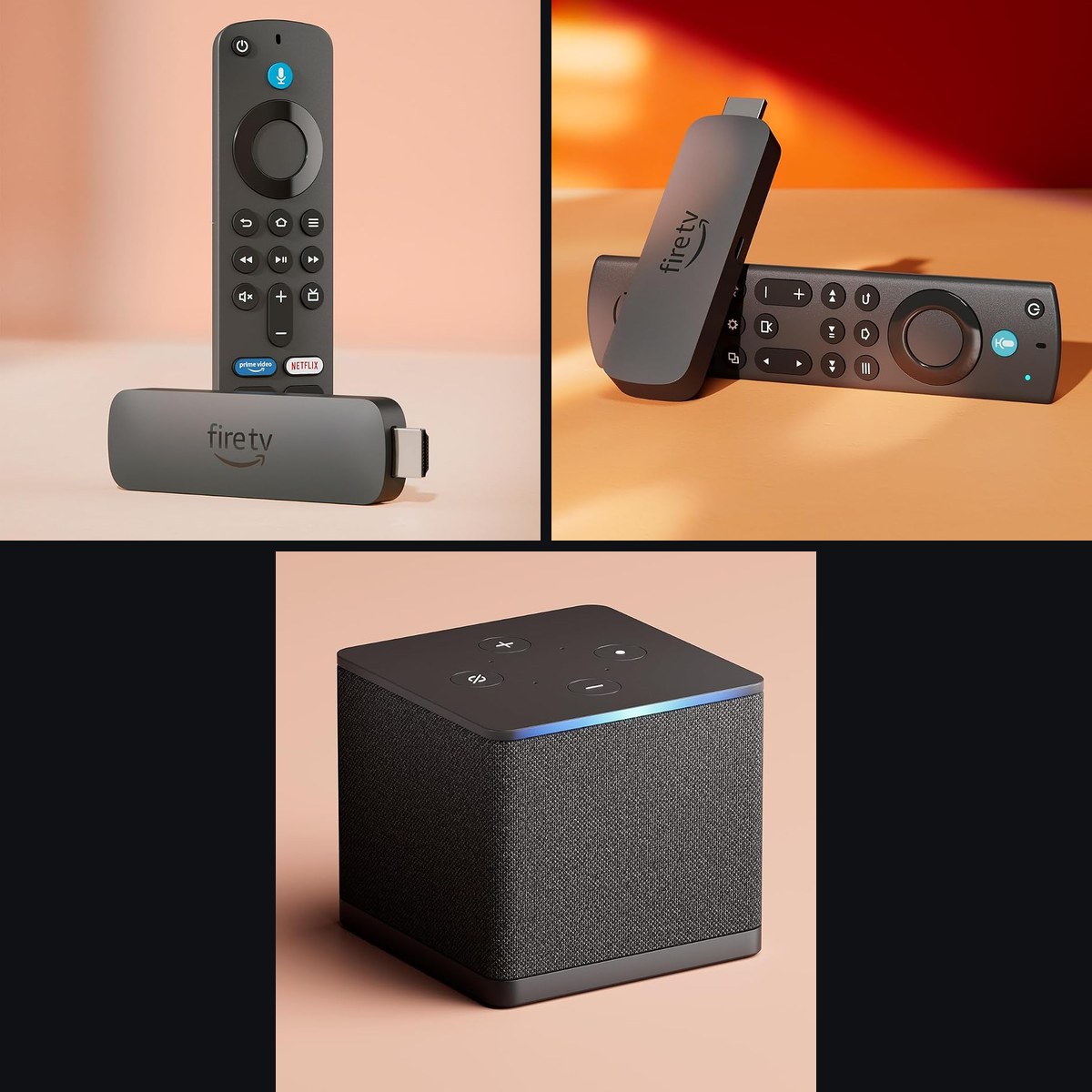
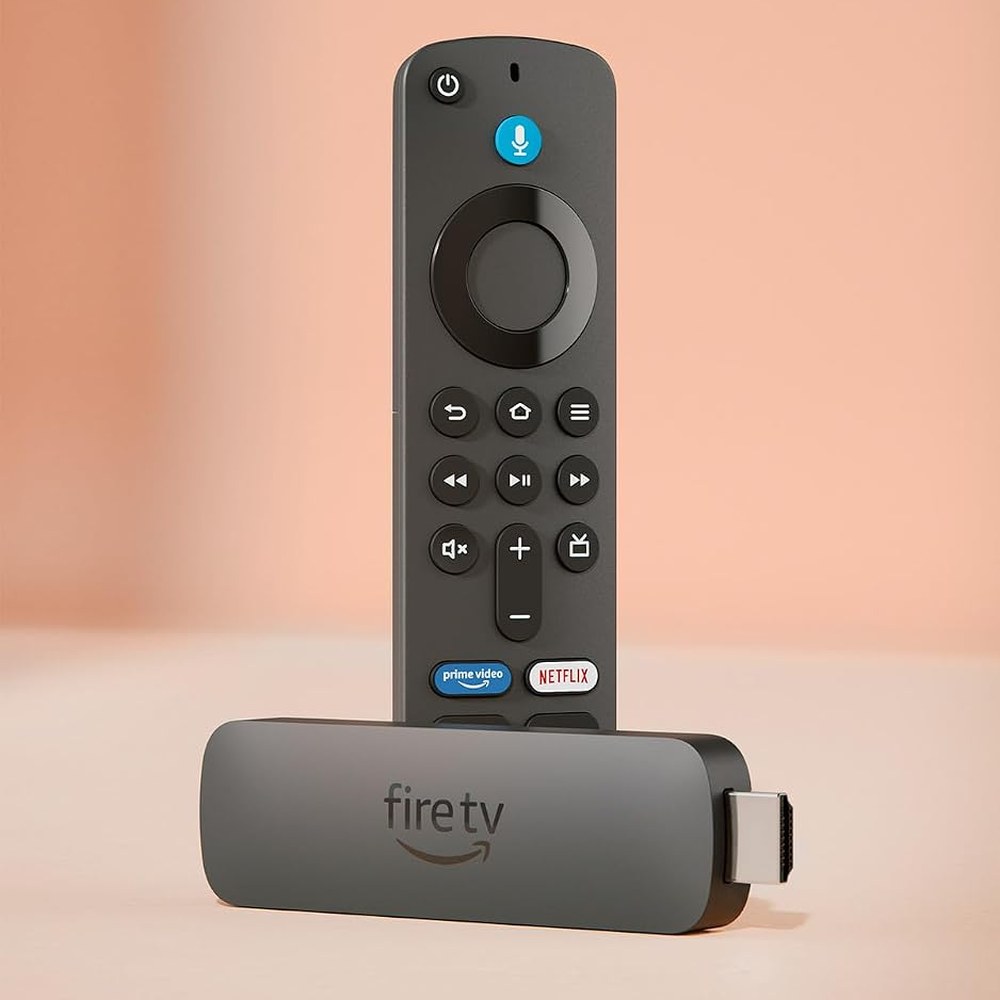
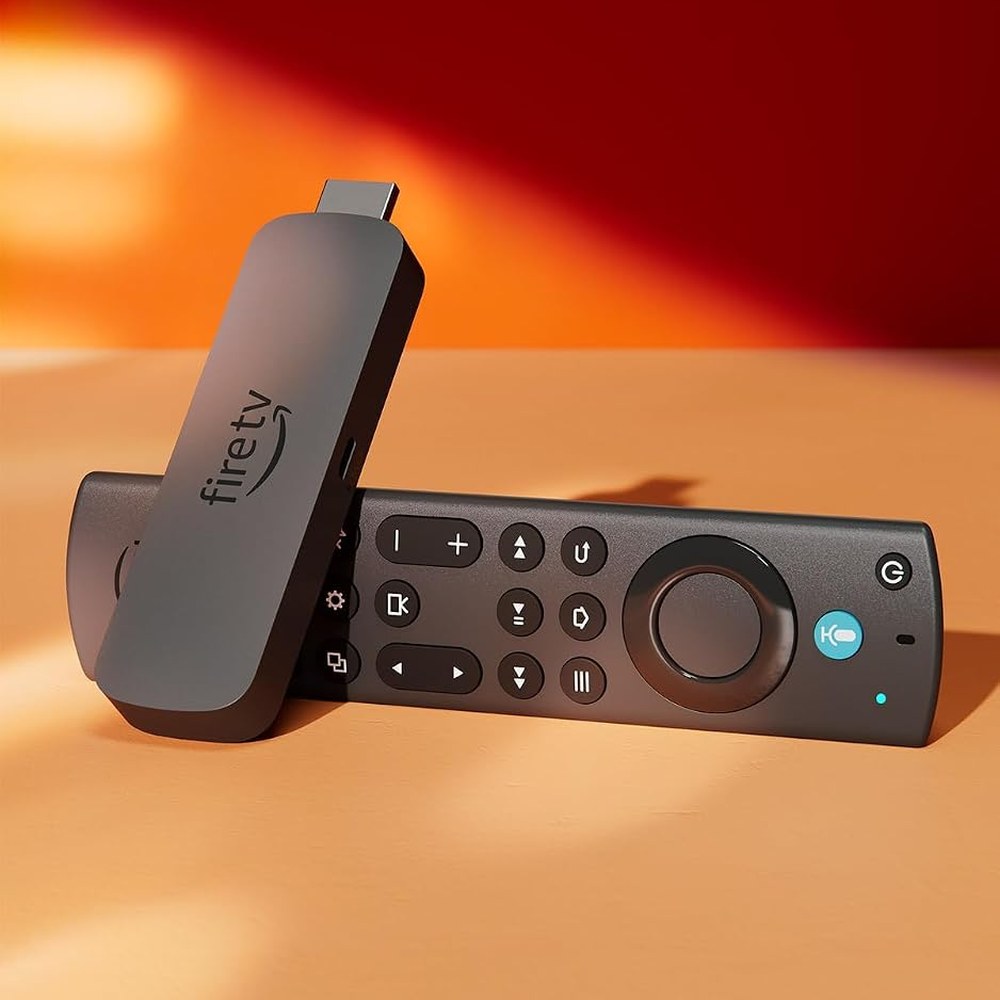
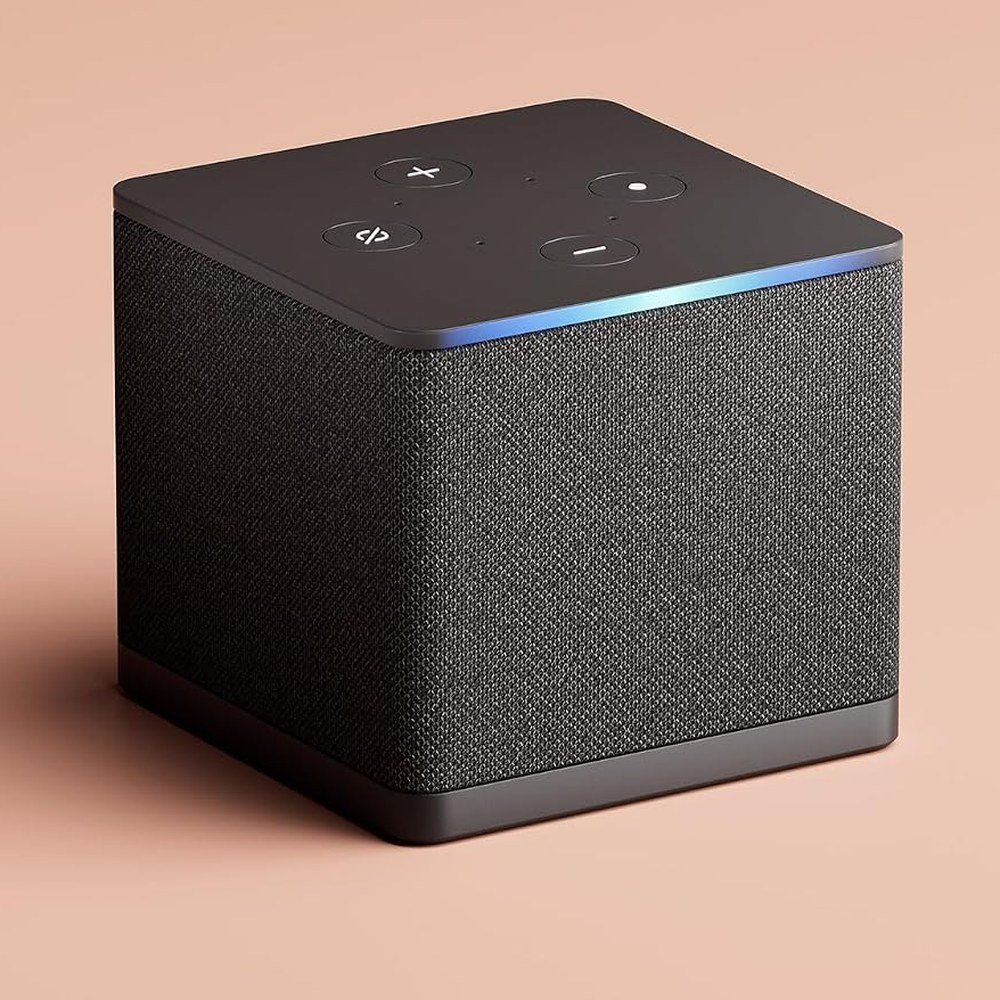
A Fire TV Stick is a very cheap network music streamer, and many music lovers never think of it that way. Amazon sells it as a video gadget. Inside is a small Android-based computer that runs your music apps and sends digital audio to an amplifier or AV receiver over HDMI. On Amazon on November 6, 2026 the Fire TV Stick 4K Plus cost $39.99, the Fire TV Stick 4K Max $84.99 and the Fire TV Cube $109.99.
Why a Fire TV Stick makes sense as a music source
- It runs the services you already pay for. Fire OS is Android-based. Amazon’s developer specifications list Fire OS 8 (Android 11 level) for the 4K Plus and 4K Max, so streaming apps install the way they do on any Android box.
- The hardware can send Hi-Res PCM. The same specification lists PCM audio up to 24-bit/192 kHz and up to 8 channels, plus Dolby Atmos and DTS pass-through, for the 4K Plus and 4K Max.
- HDMI 2.1 output. Amazon’s specifications list it for the 4K Plus and 4K Max. It plugs into an AV receiver or into your TV and its ARC/eARC audio return.
- Sideloading works. On these three models you can install apps from outside the Amazon Appstore, for example a music player Amazon does not carry.
- The price. $39.99 to $109.99 on Amazon on the day we checked.
What we have not measured. We have not run lab measurements on these devices. Amazon’s specification tells you what the hardware can output. What reaches your DAC depends on the music app, the quality tier of your subscription and the receiver after the Stick. Amazon lists its system FLAC decoder only up to 48 kHz stereo, so for a Hi-Res library use an app that decodes the stream itself, then check the sample-rate readout on your receiver or DAC while a Hi-Res track plays.
How to connect it to a hi-fi system
- Into an AV receiver. Plug the Stick into an HDMI input of a receiver such as the Onkyo TX-RZ50 or the Denon AVR-X1800H. The receiver decodes and amplifies, the Stick only supplies the signal.
- Through your TV. Leave the Stick on the TV and send the sound out of the TV’s ARC/eARC output to any amplifier or soundbar with a matching input.
- Over a wired network. The Fire TV Cube has an Ethernet port built in. For the 4K Plus and 4K Max, Amazon lists 10/100 Ethernet through an external adapter.
If you want analog or digital outputs of a purpose-built streamer instead, look at the Fosi Audio S3 or the WiiM Ultra. They are built for exactly that job.
Why we only recommend the Plus, Max and Cube
Amazon now sells two kinds of Fire TV Stick. The 4K Plus, 4K Max and Fire TV Cube run Fire OS, which is Android-based. The Fire TV Stick HD (2nd gen, 2026), the Fire TV Stick 4K Select (2025) and the plain Fire TV Stick 4K (3rd gen, 2026) run Vega OS, according to AFTVnews (October 5, 2026). Vega OS devices do not support sideloading or the Downloader app. Amazon’s own listings for these models carry the same warning: they block installing apps from unknown sources, and only apps from the Amazon Appstore are available.
For a music system that is a real limit. You can use only the apps that exist for Vega in Amazon’s store, and you cannot add a player Amazon does not carry. Amazon’s Fire TV developer page also says that all future Fire TV Sticks will run on Vega, as AFTVnews reported on April 17, 2026. AFTVnews calls the 4K Plus and 4K Max the last Android-based Fire TV Sticks. That statement names sticks, not the Cube, so we cannot say what a future Cube will run. If app freedom matters to you, we see no reason to wait.
If you only watch Prime Video and Netflix, the cheaper Vega sticks may be fine. This page is about music, and for music we prefer to keep every option open.
Compare the three Fire TV streamers we recommend
| Fire TV Stick 4K Plus | Fire TV Stick 4K Max | Fire TV Cube | |
|---|---|---|---|
| Price on Amazon (November 6, 2026) | $39.99 | $84.99 | $109.99 |
| Amazon rating | 4.6 out of 5 (116,185 ratings) | 4.6 out of 5 (84,276 ratings) | 4.4 out of 5 (16,168 ratings) |
| Amazon’s description | Cinematic 4K streaming | Powerful 4K streaming | The ultimate hands-free 4K streaming experience |
| Operating system | Fire OS (sideloading supported) | Fire OS (sideloading supported) | Fire OS (sideloading supported) |
| Picture quality | 4K Ultra HD | 4K Ultra HD | 4K Ultra HD |
| Video formats | Dolby Vision, HDR10, HDR10+, HLG | Dolby Vision, HDR10, HDR10+, HLG | Dolby Vision, HDR10, HDR10+, HLG |
| Audio | Dolby Atmos | Dolby Atmos | Dolby Atmos |
| Remote with TV and soundbar controls | Alexa Voice Remote | Alexa Voice Remote Enhanced | Alexa Voice Remote Enhanced |
| Storage | 8 GB | 16 GB | 16 GB |
| Wi-Fi and wired network | Wi-Fi 6 | Wi-Fi 6E | Wi-Fi 6E and an Ethernet port |
| Cloud gaming | Amazon Luna, Xbox Game Pass, NVIDIA GeForce NOW | Amazon Luna, Xbox Game Pass, NVIDIA GeForce NOW | Amazon Luna, Xbox Game Pass |
| Hands-free with Alexa | No | No | Yes |
| Connect and control other devices (cable box, game console, webcam) | No | No | Yes |
Source: Amazon US comparison table and product pages, checked on November 6, 2026. Amazon changes prices often, so use a button above to see today’s price.
Which one should you buy?
- Fire TV Stick 4K Plus. The budget pick. It has 8 GB of storage and Wi-Fi 6, which is plenty for a music app and an HDMI feed to your receiver.
- Fire TV Stick 4K Max. Our pick for most music systems. It has 16 GB, Wi-Fi 6E and the enhanced remote, for $45 more than the Plus on the day we checked.
- Fire TV Cube. Choose it if you want a wired Ethernet connection without an adapter, hands-free Alexa, or an HDMI input to run a cable box or game console through the same unit.
Who it’s for
It suits anyone who already has an AV receiver or an amplifier with HDMI and wants Hi-Res-capable streaming without buying another box. It also suits a second room, where a $40 stick is a low-cost way to add streaming to a small receiver.
Who should skip it
Skip it if you need a bit-perfect USB output or analog outputs on the streamer itself. A purpose-built network streamer is the better tool for that. Also skip the Fire TV Stick HD, 4K Select and 4K if you care about app freedom, for the Vega OS reasons above.
Where to buy
All three are sold on Amazon, with returns handled by Amazon: Fire TV Stick 4K Plus, Fire TV Stick 4K Max and Fire TV Cube. As an Amazon Associate we earn from qualifying purchases. The price is the same for you, and our buttons go through our own link tracker so we can see which devices readers choose.
Frequently asked questions
Can a Fire TV Stick play Hi-Res music?
The hardware can output it. Amazon’s developer specifications list PCM up to 24-bit/192 kHz for the Fire TV Stick 4K Plus and 4K Max. Whether you actually hear Hi-Res depends on the app, your subscription tier and the receiver or DAC after the Stick, so check the sample-rate display during playback. We have not lab-tested these devices.
Which Fire TV Stick is best for music?
For most systems the 4K Max, because of its 16 GB of storage and Wi-Fi 6E. The 4K Plus is the cheaper choice, and the Cube is the one with a built-in Ethernet port.
Why do you avoid the Fire TV Stick HD and 4K?
They run Vega OS, which blocks sideloading and limits you to apps from the Amazon Appstore. The Plus, Max and Cube run Android-based Fire OS and let you install apps from other sources.
What is Vega OS?
Vega OS is Amazon’s newer operating system for Fire TV devices. It is not Android, so you cannot install Android apps from outside Amazon’s store. Amazon’s developer page says that all future Fire TV Sticks will run on it.
What is sideloading, and do I need it?
Sideloading means installing an app from outside the official store. You do not need it for the big streaming services. It matters when you want a niche music player or a utility Amazon’s store does not carry.
How do I connect a Fire TV Stick to my amplifier or DAC?
Use HDMI. Plug the Stick into an AV receiver, or leave it on the TV and use the TV’s ARC/eARC output. If your DAC has no HDMI input, you need a receiver or an HDMI audio extractor in between.
Does the Fire TV Stick 4K Plus have Ethernet?
Amazon lists 10/100 Ethernet through an external adapter for the 4K Plus and 4K Max. The Fire TV Cube has an Ethernet port built in.
Do I need Wi-Fi 6E?
Only if your router supports it. The 4K Max and the Cube support Wi-Fi 6E, which adds the 6 GHz band. The 4K Plus supports Wi-Fi 6.
Are the prices on this page fixed?
No. They are the Amazon prices we saw on November 6, 2026. Amazon changes them often, so click a button to see the current price.
How do you earn money from this page?
Through Amazon’s affiliate program. If you buy after clicking one of our links, Amazon pays us a commission at no extra cost to you. We recommend only the three devices that keep Fire OS and sideloading.
Sources
- Amazon developer documentation: Fire TV streaming media player device specifications (Fire TV Stick 4K Plus and 4K Max audio, storage, Wi-Fi, Ethernet, Fire OS version).
- AFTVnews: Fire TVs that do not support sideloading or Downloader due to Vega OS, October 5, 2026.
- AFTVnews: Amazon confirms all future Fire TV Sticks will run Vega OS, April 17, 2026.
- Amazon US product pages and comparison table for the three devices, checked November 6, 2026.
Last updated: November 6, 2026.
Specification
| Brand | Amazon |
|---|---|
| Models covered | Fire TV Stick 4K Plus (2025), Fire TV Stick 4K Max (2nd Gen, 2023), Fire TV Cube (3rd Gen) |
| Type | HDMI streaming media players (Fire OS, Android-based) |
| Operating system | Fire OS; Fire OS 8 (Android 11 level) on the 4K Plus and 4K Max; sideloading supported |
| Audio output | Dolby Atmos; PCM up to 24-bit/192 kHz, up to 8 channels (4K Plus and 4K Max, Amazon developer specifications) |
| Video | 4K Ultra HD, Dolby Vision, HDR10, HDR10+, HLG |
| HDMI | HDMI 2.1 output (4K Plus and 4K Max) |
| Storage | 8 GB (4K Plus); 16 GB (4K Max and Cube) |
| Wi-Fi | Wi-Fi 6 (4K Plus); Wi-Fi 6E (4K Max and Cube) |
| Ethernet | Built-in port (Cube); 10/100 through an external adapter (4K Plus and 4K Max) |
| Models we avoid | Fire TV Stick HD, 4K Select and 4K (Vega OS, no sideloading) |
Based on 0 reviews
Be the first to review “Amazon Fire TV Stick 4K Plus, 4K Max and Fire TV Cube: Cheap Fire OS Music Streamers”

Related products
-
FiiODAC
FiiO K13 R2R Desktop DAC and Headphone Amp — Discrete R2R Ladder
FiiO K13 R2R — flagship discrete R2R ladder DAC and headphone amp of FiiO K-series. Uses a fully discrete 24-bit R2R ladder DAC circuit (physically different topology than the delta-sigma DACs found in most sub-$500 units) for a warmer, more analog top-end that many listeners prefer for long sessions, vocal-forward music, or hot recordings. Full digital input suite: USB (PCM/DSD), coaxial and optical S/PDIF, plus Bluetooth 5.1 with LDAC codec. Balanced XLR + 4.4 mm + single-ended 6.35 mm headphone outputs — full balanced signal path from DAC through amp to jack reduces channel crosstalk. Drives cleanly from 32 ohm IEMs to 300 ohm Sennheiser HD 800S with high-gain headroom. Metal chassis, weighted knob, MQA rendering support over USB (Roon / TIDAL). Serious desktop chain territory at K-series pricing. Live price on Amazon below.
Audiophile community verdict: See ASR forum R2R DAC discussions
SKU: B0FQ4SVMGY -
KossHeadphones
Koss KPH30 Wireless Bluetooth Retro On-Ear Headphones with USB-C
Featured in our review: Koss KPH30 Wireless Review: The Retro Cult Classic That Sounds Like $300 Headphones
Koss KPH30 Wireless — the cult retro on-ear Bluetooth 5.0 headphones with the legendary Koss signature (bright, energetic, forward-vocal) rebuilt with 20+ hour battery life, USB-C fast charging, and an integrated microphone for calls. Same distinctive lightweight open-back-ish retro shell that made the wired KPH30i a $30 audiophile darling, cut loose from the cable and rebuilt for wireless daily-driver duty. Detachable 3.5 mm cable included for wired passive mode — works even with dead battery. Adjustable headband, on-ear pads that don’t clamp or heat up over long sessions. SBC + AAC codec support. Compliments-in-elevators aesthetic. Great first “real” pair for anyone stepping up from AirPods, or a lightweight secondary set for KPH30i fans who wanted a wireless version. Pairs beautifully with the AIYIMA H4 desktop headphone amp in wired mode for full desktop chain. Live price on Amazon below.
SKU: B0FFVFHZT7 -
OnkyoAmplifiers, Streamer
Onkyo Muse Y-50 Network Streamer & Integrated High-Power Amplifier (Black)
Onkyo Muse Y-50 — flagship all-in-one network streamer with integrated Class-AB high-power amplification. Combines hi-res streaming (WiFi + Bluetooth + Ethernet), DAC, preamp, and Class-AB power amp in one chassis – replaces a full rack of separates for less than the cost of a mid-tier standalone streamer. Drives 4-8 ohm bookshelves and small floorstanders with refined power. $1,499 direct from Onkyo, or Amazon US with Prime shipping.
SKU: n/a -
HiVi-SwansSpeakers
HiVi-Swans D3.1 MKII Passive Bookshelf Speakers, 6.5″ 2-Way Home Speakers Pair
Featured in our review: HiVi-Swans D3.1 MKII Review – Affordable Speakers That Challenge High-End Audio
HiVi-Swans D3.1 MKII is a pair of passive 2-way bookshelf speakers with a 6.5-inch woofer and a 28 mm dome tweeter in an angled-baffle (“acoustic tilt”) cabinet. The brand’s text on the Amazon listing gives 85 dB sensitivity (2.83 V / 1 m), 8 ohm impedance, 10 to 120 W amplifier power and 39 Hz to 20 kHz. They are passive: you need a stereo amplifier or receiver, and with 85 dB sensitivity a capable one. We found no HiVi-Swans manufacturer spec page for this model and no independent measurements, so the figures are the brand’s claims. Check the current price on Amazon below.
Audiophile community verdict: See r/BudgetAudiophile community threads
SKU: B0FCFG9TTY -
Fosi AudioAmplifiers
Fosi Audio BT20A MAX Bluetooth 6.0 Stereo Class-D Amplifier 300W with Subwoofer Output
Fosi Audio BT20A MAX is a compact TPA3255 Class-D stereo amplifier with Bluetooth 6.0 (Qualcomm QCC3095; SBC, AAC, aptX, aptX HD, aptX Adaptive, aptX Lossless and LDAC), two RCA inputs, a subwoofer output, an IR remote and a motorized volume knob. Fosi rates it at 300 W x 2 maximum and 180 W x 2 RMS at 4 ohm. It has no USB, optical or coaxial input. $249.99 with a 48 V/5 A supply at Fosi’s store (checked 2026-10-31). Compare it in our BT20A MAX vs BT20A Pro vs AIYIMA A07 Pro guide. Direct from Fosi, or Amazon US.
SKU: fosi-audio-bt20a-max -
OnkyoAmplifiers, Streamer
Onkyo Icon P-80 Network Preamplifier (Black)
Onkyo Icon P-80 — reference-tier network preamplifier and streamer from the Icon Series, engineered as the matched partner to the M-80 power amp. Handles source selection, hi-res network streaming (WiFi + Bluetooth + Ethernet), DAC, and analog preamplification with premium component selection. Pair with the M-80 for a full Icon separates system, or feed any high-quality power amp of your choice. $1,999.99 direct from Onkyo (no Amazon listing).
SKU: n/a -
OnkyoAmplifiers, Streamer
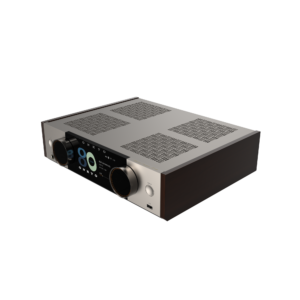
Onkyo Muse Y-50 80th Anniversary Special Edition Network Streamer & Integrated Amplifier
 Amplifiers, Streamer
Onkyo Muse Y-50 80th Anniversary Special Edition Network Streamer & Integrated Amplifier
Onkyo Muse Y-50 80th Anniversary Special Edition — commemorative network streamer + integrated high-power amplifier celebrating 80 years of Japanese hi-fi craftsmanship. Limited-run finish and badging over the flagship Muse Y-50 platform. All-in-one solution combining hi-res streaming (WiFi + Bluetooth), DAC, preamp, and Class-AB power amplifier in one chassis. Drives 4-8 ohm bookshelves and floorstanders with authority. $1,699.99 direct from Onkyo — currently Out of Stock, notify list open.
SKU: n/a -
AIYIMAPower Supply
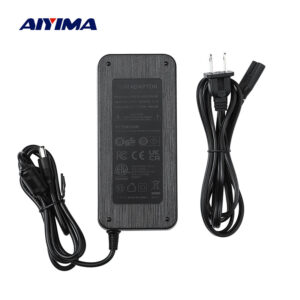
AIYIMA 48V 6A Linear Power Supply for TPA3255 Class-D Amplifiers
AIYIMA 48V 6A Linear Power Supply — dedicated 288W desktop DC brick engineered for TPA3255 Class-D amplifiers and similar 32-48V hi-fi amp platforms. Delivers stable regulated 48V rail at up to 6A continuous, letting your A20 MONO / A07 / A07 PRO / A07 Max reach rated power output without voltage sag under sustained load. Universal AC 100-240V input with region-specific plug option: US, EU, UK, or AU — selected at checkout. Cleaner regulation and lower noise floor than generic switching supplies. Ideal upgrade when the stock 32V adapter is bottlenecking your TPA3255 amp. Pairs perfectly with the AIYIMA A20 MONO monoblocks (run one PSU per amp for full dual-mono isolation). $35.99 direct from Aiyima with our promo code.
SKU: aiyima-48v-6a-linear-psu -
FiiOHeadphones
FiiO EH11 Retro On-Ear Bluetooth Headphones
Featured in our review: FiiO EH11 Review: LDAC Hi-Res Retro Headphones That Punch Way Above Their Price
FiiO EH11 — LDAC hi-res Bluetooth on-ear retro headphones under $130 with real 990 kbps LDAC codec for TIDAL / Qobuz / Apple Music hi-res streaming on Android (SBC + AAC fallback for iPhone). 40 mm dynamic drivers with warm-forward tuning that suits vocals, classic rock, and long listening sessions without fatigue. ~40 hours battery life, USB-C fast charging (10-min top-up delivers several hours of playback), 3.5 mm cable included for passive wired mode. Foldable retro form with included travel case fits in a backpack pocket; ~8.5 oz weight keeps them comfortable for all-day wear. FiiO build quality — metal accents, cushioned pads, real hinges. Undercuts most name-brand hi-res on-ear options while delivering codec-parity audio quality. Great daily-driver commuter pair or a “budget hi-res upgrade” from AirPods-tier wireless. Live price on Amazon below.
SKU: B0GGR18W7M -
Fosi AudioAmplifiers
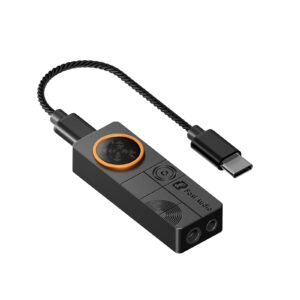
Fosi Audio DS3 Portable USB DAC & Headphone Amp — 7.1 Spatial Audio + Balanced Output
Fosi Audio DS3 — pocket-size portable USB DAC and headphone amplifier under $100 with in-house 7.1-channel spatial audio algorithm that converts multichannel game audio into an expansive 360° stereo experience — no PC drivers or software needed. Dual output: single-ended 3.5 mm and balanced 4.4 mm for better channel separation with balanced-cable headphones. USB-C plug-and-play compatibility with Windows, Mac, Android, and PS5. Ideal for gaming, hi-res music on the go, or as an upgrade over any laptop/phone headphone jack. Compact enough for pocket carry, powerful enough to drive most portable and desktop cans. Direct from Fosi with our promo code, or Amazon US.
SKU: fosi-audio-ds3 -
HiVi-SwansSpeakers
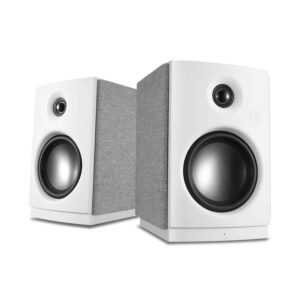
HiVi-Swans OS-10 Active Bluetooth 5.0 Desktop Speakers 4″ Woofer
HiVi-Swans OS-10 — active 2.0 desktop bookshelf speakers with 4-inch woven-fiber woofer and silk-dome tweeter per side, rear bass port, built-in Class-D amplification (no separate amp needed), Bluetooth 5.0, RCA line-input, and 3.5 mm aux for laptop / turntable / TV integration. Signature Swan Speakers tuning — neutral midrange, unfatiguing silk-dome top end, tight rear-ported bass down to around 55 Hz — in a compact self-powered form that fits either side of a 24-27 inch monitor without dominating desk space. Right-side speaker is the master with all connections; left-side driven by included speaker cable. One-cable-plus-power-plus-source-input plug-and-play desktop hi-fi. Different animal than the passive HiVi-Swans D3.1 MKII — this one is self-powered, no receiver or integrated amp required. Live price on Amazon below.
Audiophile community verdict: See r/BudgetAudiophile community threads
SKU: B0FK8RRWJS -
WiiMStreamer
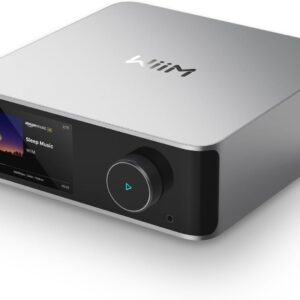
WiiM Ultra Network Music Streamer — 3.5″ Touchscreen, ES9038 Q2M DAC, HDMI ARC, Phono In, Roon Ready
 Streamer
WiiM Ultra Network Music Streamer — 3.5″ Touchscreen, ES9038 Q2M DAC, HDMI ARC, Phono In, Roon Ready
WiiM Ultra — the streamer that killed Bluesound Node at half the price. 3.5-inch color touchscreen, ES9038 Q2M DAC, USB DAC in, HDMI ARC, phono input for turntables, Roon Ready, AirPlay 2, Spotify/TIDAL/Qobuz Connect, and optional Dirac Live room correction. The “no-brainer streamer” of 2025-2026 — universally praised by r/BudgetAudiophile, r/audiophile, and every hi-fi YouTuber. $329 on Amazon US.
Audiophile community verdict: See what audiophiles say on r/BudgetAudiophile first impressions thread
SKU: n/a -
SoundcoreHeadphones
Soundcore Space One Pro, Over-Ear Headphone
Soundcore Space One Pro — flagship Anker over-ear active noise cancelling (ANC) Bluetooth headphones under $150 with LDAC hi-res codec support, adaptive ANC across low and mid frequencies (real plane / office / bus quieting), 60+ hour battery life with ANC off (~40 with ANC on), and USB-C fast charge (5-min top-up delivers ~4 hours of playback). Multipoint Bluetooth pairing switches automatically between laptop and phone for seamless call handling. Foldable design with included travel case fits in a backpack pocket; under 300 g weight keeps them comfortable for long-haul flights. Mildly V-shaped tuning (bass and treble emphasis) — pop / hip-hop / EDM friendly, less studio-neutral. Targets the Sony WH-1000XM5 / Bose QC Ultra segment at half the price and closes most of the gap on features. Great primary travel pair or a “features-first” upgrade from AirPods Pro. Live price on Amazon below.
SKU: B0CZ8G716J -
DenonReceivers
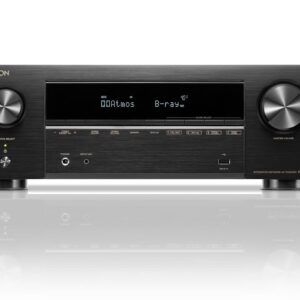
Denon AVR-X1800H 7.2-Channel 8K AV Receiver with Dolby Atmos, DTS:X, HEOS, Audyssey
Denon AVR-X1800H — the most-recommended sub-$600 AVR on r/hometheater in 2025-2026. 7.2 channels, 80W per channel, full Dolby Atmos + DTS:X support with height speakers, 6 in / 1 out HDMI 2.1 with 8K/60 and 4K/120 passthrough, HEOS wireless multi-room, and Audyssey MultEQ room correction. Perfect entry-tier home theater AVR that pairs with our reviewed HiVi D3.1 MKII or Klipsch RP-500M II as front L/R. $549 on Amazon US.
Audiophile community verdict: See what audiophiles say on r/hometheater review thread
SKU: n/a -
Fosi AudioStreamer
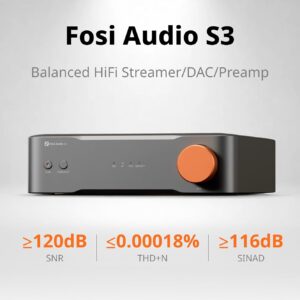
Fosi Audio S3 HiFi Streamer, DAC and Preamp — AK4493SEQ, WiFi 6, Roon Ready, AirPlay 2
Fosi Audio S3 — full HiFi streamer + DAC + preamp in one compact chassis. Premium AKM AK4493SEQ Velvet Sound DAC (used in units 3-4× the price), Roon Ready native endpoint, AirPlay 2 for Apple ecosystems, Bluetooth 5.0 with LDAC codec for hi-res wireless, plus WiFi 6 for stable congested-network streaming. Balanced XLR + RCA preamp outputs feed any power amp — perfect matched source for AIYIMA A20 MONO or any balanced integrated. Digital inputs: USB (PCM up to 384 kHz / DSD256 native), optical, coaxial S/PDIF; analog RCA line-in accepts turntable phono pre-amps. TIDAL Connect + Spotify Connect + DLNA + web UI + Fosi app for full source flexibility. Under $300 collapses a $500 streamer + $250 DAC + $200 preamp rack into one desktop-footprint box. Direct from Fosi with our promo code, or Amazon US Prime — both buttons below.
Audiophile community verdict: See ASR forum streamer / DAC discussions
SKU: fosi-audio-s3 -
OnkyoAmplifiers, Streamer
Onkyo Muse Y-40 Network Streamer & Integrated High-Power Amplifier (Black)
Onkyo Muse Y-40 — all-in-one network streamer + integrated Class-AB amplifier at accessible price point. Complete hi-res streaming source + DAC + preamp + power amp in one $999 chassis. WiFi + Bluetooth + Ethernet + USB + optical + coax + RCA inputs. Perfect entry point to serious 2-channel hi-fi without a rack of separates. $999 direct from Onkyo, or Amazon US.
SKU: n/a -
AIYIMAAmplifiers
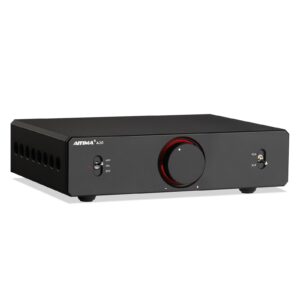
AIYIMA A20 Stereo 2.1 Class-D Amplifier — TPA3255 PFFB + Balanced XLR + Sub Out with Adjustable HPF (Masterpieces of a Decade)
 Amplifiers
AIYIMA A20 Stereo 2.1 Class-D Amplifier — TPA3255 PFFB + Balanced XLR + Sub Out with Adjustable HPF (Masterpieces of a Decade)
AIYIMA A20 Stereo 2.1 — anniversary Masterpieces of a Decade class-D amp: TPA3255 + PFFB, balanced XLR + RCA, active sub out with adjustable 60–200 Hz HPF, swappable dual op-amps. PSU sold separately — grab the AIYIMA 48V 10A GaN PSU for the full 250 W × 2 spec, or the 48V 6A Linear PSU for a quieter noise floor at 120 W × 2.
SKU: aiyima-a20-stereo-2-1 -
WharfedaleSpeakers
Wharfedale Diamond 12.1 Bookshelf Speakers (Pair) — British Warm House Sound, 2024 What Hi-Fi Award
 Speakers
Wharfedale Diamond 12.1 Bookshelf Speakers (Pair) — British Warm House Sound, 2024 What Hi-Fi Award
Wharfedale Diamond 12.1 — the warmer, more musical British alternative to horn-loaded Klipsch RP-500M II. 2-way passive bookshelf with 5-inch woofer + 25mm soft dome tweeter, tuned for British hi-fi house sound (smooth vocals, non-fatiguing top-end, punchy mid-bass). 2024 What Hi-Fi Award winner. Consistently cited on r/BudgetAudiophile as the go-to “musical” bookshelf pair under $500. Great for jazz, acoustic, vocals, classical. $399/pair on Amazon US.
Audiophile community verdict: See what audiophiles say on What Hi-Fi 2024 Award review
SKU: n/a -
FiiODAC
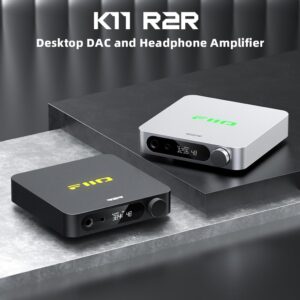
FiiO K11 R2R Desktop DAC and Headphone Amp — Discrete R2R Ladder Under $200
FiiO K11 R2R — the cheapest way into true discrete R2R ladder DAC sound. Uses a hand-picked 24-bit resistor-ladder DAC circuit (physically different from the delta-sigma chips in the base K11 and every Topping/SMSL competitor) for the warmer, more analog top-end R2R is famous for — without the $1,000+ price tag. Full digital input suite: USB-C, coaxial, optical, plus Bluetooth 5.1 with LDAC. Balanced 4.4 mm + single-ended 6.35 mm headphone outputs, 1400 mW into 32 Ω balanced — same power spec as base K11 but with R2R signature sound. Drives 32 Ω IEMs through 300 Ω Sennheiser dynamics with headroom to spare. Machined metal chassis, weighted knob, front OLED. Under $200 on Amazon is R2R value that did not exist two years ago. Live price on Amazon below.
Audiophile community verdict: See ASR forum R2R DAC discussions
SKU: n/a -
AIYIMAAmplifiers
AIYIMA D20 Balanced Bluetooth DAC & Preamp with Headphone Amp
AIYIMA D20 — flagship desktop balanced Bluetooth DAC and preamp with dedicated headphone amp, three units in one chassis. Balanced XLR + RCA preamp outputs feed any power amp cleanly (natural pairing with the AIYIMA A20 MONO monoblocks for a full dual-mono chain). Bluetooth 5.0 with LDAC and aptX-HD codecs — real 990 kbps hi-res wireless from TIDAL, Qobuz, and Apple Music, not compressed dongle Bluetooth. Front-panel headphone amp drives planars and 300 ohm dynamics without breaking a sweat. USB DAC input handles PCM up to 32-bit / 384 kHz and DSD256 native; optical and coaxial S/PDIF cover legacy digital sources. Analog volume control tracks perfectly at low listening levels — no channel imbalance. Replaces a $300 DAC + $200 preamp + $150 headphone amp stack in one $299 unit. Pre-order live, ships July 29 direct from Aiyima with our promo code.
SKU: aiyima-d20 -
ToppingDAC
Topping E30 II Desktop DAC — Dual AK4493S, DSD512, Remote + Preamp Mode
Topping E30 II — the sub-$150 DAC that r/BudgetAudiophile keeps recommending. Dual AK4493S chips (successor to AK4493SEQ), DSD512 / PCM 32-bit 768 kHz, USB-C input, remote control, and switchable preamp mode. ASR “recommended” tier with THD+N around -117 dB. Perfect front-end for any budget amp — pair with AIYIMA A80, Fosi ZA3, or SMSL AO200 MKII. $149 on Amazon US.
Audiophile community verdict: See what audiophiles say on ASR forum review thread
SKU: n/a -
HiVi-SwansSpeakers
HiVi-Swans M300MKII Active 3-Way 360W Studio Monitor Speakers with Bluetooth + WiFi (Pair)
HiVi-Swans M300MKII — flagship active 3-way audiophile bookshelf speakers with 360W RMS total power, 6.5″ woofer, and integrated Bluetooth + WiFi + isodynamic ribbon tweeter. Studio-monitor precision meets high-end audiophile styling in a fully-active all-in-one design. Z Reviews’ “So about the best” viral pick — the M300MKII sits at the top of the HiVi-Swans active bookshelf lineup as the reference tier under $1000. Perfect for desktop, PC/TV, turntable, or main-room stereo where you want maximum sound quality without a separate amp.
SKU: n/a -
FiiOAmplifiers
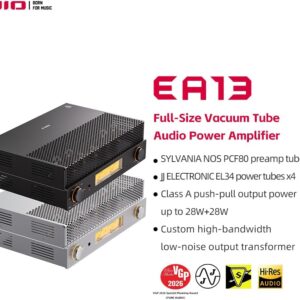
FiiO EA13 Class A Push-Pull Tube Integrated Amp — EL34 x4, 28W/ch, VU Meters, Headphone Out
 Amplifiers
FiiO EA13 Class A Push-Pull Tube Integrated Amp — EL34 x4, 28W/ch, VU Meters, Headphone Out
FiiO EA13 — the K-series brand you know from the FiiO K11 / K11 R2R / K13 R2R DAC line goes big: a real Class A push-pull tube integrated amplifier with four EL34 vacuum tubes, 28 W/channel into 4-8 Ω, 4 RCA inputs, dedicated headphone output, and dual analog VU meters. This is a proper 18 kg tube amp with 400V+ B+ rail, not a hybrid or “tube preamp with Class D power stage” gimmick. Under $800 for a real EL34 push-pull integrated — that price point used to start at $1,500+ from PrimaLuna or Willsenton. Drives high-efficiency dynamic speakers (Klipsch Heritage, Zu Audio, high-sensitivity Wharfedale) plus most 88+ dB bookshelves with tube warmth and dynamics tube fans buy tubes to hear. Live price on Amazon below.
Audiophile community verdict: See ASR forum tube amp discussions
SKU: B0HCV7HQ3K -
OnkyoAmplifiers, Streamer
Onkyo Icon A-50 Network Integrated Amplifier (Black)
Onkyo Icon A-50 — network integrated amplifier from the Icon Series, combining streamer + DAC + preamp + Class-AB power amp in one reference-tier chassis. Full hi-res network streaming (WiFi + Bluetooth + Ethernet), full digital input suite, refined Class-AB amplification driving 4-8 ohm loads. Icon Series build quality at the more accessible integrated-amp price point vs. Icon P-80 + M-80 separates. $1,599.99 direct from Onkyo.
SKU: n/a -
AIYIMAAmplifiers, DAC
AIYIMA A80 DAC Amplifier: ES9038Q2M + TPA3255, Bluetooth 5.1 aptX-HD
AIYIMA A80 is a compact integrated amplifier with an ES9038Q2M DAC and a TPA3255 Class-D power stage. AIYIMA lists up to 300 W x 2 maximum output at 4 ohm (4 to 8 ohm speakers), PC-USB input up to PCM 384 kHz / 32-bit and DSD256, optical, coaxial, RCA and TRS inputs, and Bluetooth 5.1 (Qualcomm QCC3040; SBC, AAC, aptX, aptX-LL, aptX-HD). It has an AUX output for a subwoofer, a 12 V trigger and bass and treble controls. THD is quoted at 0.006% and SNR at 109 dB or better. About 6.1 x 4.8 x 1.6 in (155 x 123 x 41 mm), 850 g. $199.99 without and $229.99 with a US power supply at AIYIMA’s store (checked 2026-10-31). Direct from AIYIMA.
SKU: aiyima-a80 -
OnkyoReceivers
Onkyo TX-RZ70 11.2-Channel AV Receiver — Flagship Reference Home Theater
Flagship 11.2-channel AVR with 170W/ch measured (Audioholics bench-tested), Dirac Live Full Bandwidth out of the box, THX + IMAX Enhanced certified, HDMI 2.1 with 8K/60 + 4K/120 + VRR, Sonos Certified. The “unicorn” reference-tier receiver under $2000 — replaces separates stacks. Owners consolidating from $3000+ processor+amp rigs cite RZ70 delivers 85-90% of the performance for a fraction of cost.
Home theater community verdict: See AVSForum receivers discussion
SKU: n/a -
Fosi AudioAmplifiers
Fosi Audio ZA3 Balanced Dual-Mode Class-D Amplifier — Stereo + Mono Switchable
Fosi Audio ZA3 is a compact TPA3255 Class-D power amplifier with an XLR/TRS combo input, RCA inputs, a filtered subwoofer output, a 12 V trigger and a front-panel stereo/mono switch. One unit drives a pair of passive speakers in stereo mode; in mono mode one unit drives one speaker, so two units can run as a monoblock pair. It is a power amp only: no DAC, preamp or Bluetooth. Fosi’s store lists it from $109.99 without a power supply, $129.99 with a 32 V/5 A supply and $149.99 with a 48 V/5 A supply (checked 2026-10-31). Read our ZA3 review roundup for the independent measurements. Direct from Fosi, or Amazon US.
SKU: fosi-audio-za3 -
BeatsHeadphones
Beats Studio Pro Wireless Over-Ear ANC Headphones — USB-C Lossless, 40h Battery
Beats Studio Pro — Apple’s premium wireless over-ear ANC headphone, at Amazon under half of $350 MSRP. What earns the “budget audiophile” mention: USB-C wired lossless audio (bypasses Bluetooth codec compression entirely), proper 40 mm dynamic drivers with retuned frequency response vs the old Studio 3, active noise cancelling, transparency mode, 40-hour battery (ANC off) / 24-hour (ANC on). Cross-platform: full Apple integration via H2 chip (spatial audio + head tracking on iPhone / iPad / Mac), full Android via Soundcore-style app + LDAC-free Bluetooth 5.3 with SBC / AAC. Under $170 makes it a legitimate alternative to Sony WH-1000XM4 refurb, Bose QC45, and the more budget-oriented Soundcore Space One Pro. Live price on Amazon below.
Audiophile community verdict: See RTINGS lab measurements
SKU: B0C8PR4W22 -
HiVi-SwansSpeakers
HiVi-Swans Oasis 140 Passive 2-Way HiFi Bookshelf Speakers (Pair)
HiVi-Swans Oasis 140 is a pair of passive 2-way bookshelf speakers with a 4-inch metal woofer and a 20 mm soft-dome tweeter. The listing calls it the successor to the OS-10 and gives a peak power of 2 x 50 W; a European distributor lists 25 W RMS / 50 W max, 4 ohm and 50 Hz to 20 kHz (another listing says 60 Hz). Sensitivity is not published. Passive speakers: they need a separate amplifier or receiver rated for a 4 ohm load. About 9.25 x 7.8 x 5.9 in. We found no independent measurements, so these are the brand’s and retailers’ figures. Check the current price on Amazon below.
Audiophile community verdict: See r/BudgetAudiophile HiVi Oasis discussions
SKU: n/a -
WiiMAmplifiers, Streamer
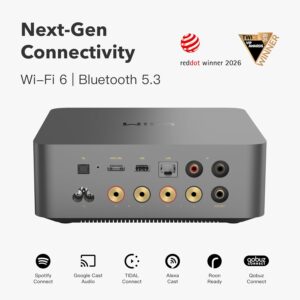
WiiM Amp Ultra Streaming Amplifier — 100W/ch, HDMI ARC, RoomFit, 3.5″ Touchscreen
 Amplifiers, Streamer
WiiM Amp Ultra Streaming Amplifier — 100W/ch, HDMI ARC, RoomFit, 3.5″ Touchscreen
WiiM Amp Ultra — the amp-in-a-box flagship of the WiiM streaming line. 100 W/channel into 8 Ω (200 W into 4 Ω) via a beefier power supply than the WiiM Amp Pro, paired with an ES9039Q2M ESS Sabre DAC, HDMI ARC input for TV audio, RoomFit room correction (WiiM’s take on Dirac Live — free and built-in), and a 3.5″ full-color touchscreen for source and volume without opening the app. Full streaming stack: Wi-Fi 6, AirPlay 2, Chromecast, Spotify / Tidal / Amazon Music / Qobuz Connect, Roon Ready. Sibling to our WiiM Ultra streamer (streaming source only, no amp) — this one adds the amp stage in the same chassis. Under $500 on Amazon for an all-in-one that replaces streamer + DAC + integrated amp + Dirac-style room correction. Live price on Amazon below.
Audiophile community verdict: See ASR forum WiiM Amp Ultra thread
SKU: n/a -
AIYIMAAmplifiers
AIYIMA A20 MONO Class-D Monoblock Power Amplifier
Featured in our review: The $130 Dual-Mono Trick: How Two AIYIMA A20 MONO Blocks Unlock a Soundstage That Shouldn’t Be Possible This Cheap
Featured in our review: This Tiny ( Monoblock Just Hit 417 Watts – Is It a Budget Audio Game Changer?
AIYIMA A20 MONO — true Class-D monoblock power amplifier delivering 300 W into 4 ohm (up to 600 W into 2 ohm at 10% THD) from a chassis smaller than a paperback. Built on the audiophile-favorite TPA3255 chipset with OPA1612 + LME49720 op-amps for a clean, low-distortion signal path. RCA + XLR + 6.35 mm TRS inputs; passive speaker binding posts and a dedicated RCA subwoofer output with adjustable high-pass filter. THD+N of 0.002% and signal-to-noise ratio above 118 dB — measurements that shame amplifiers 3× the price. Run one A20 MONO per channel as a dual-mono stack for a true balanced monoblock rig (each block gets its own dedicated power supply and current path, so left and right never fight over current). Frequency response 20 Hz – 20 kHz within ±0.4 dB. External DC 32-48 V power adapter included. Ideal amp for HiVi-Swans D3.1 MKII, Klipsch RP-500M II, and similar 87-96 dB sensitivity bookshelves. Pre-order launch $129.99 (regularly $149.99) — direct from Aiyima with our promo code.
SKU: aiyima-a20-mono -
HiFiMANHeadphones
HiFiMAN Sundara Over-Ear Planar Magnetic Headphones — The Reference Sub-$300 Planar
HiFiMAN Sundara — r/headphones’ default recommendation for “your first planar magnetic headphone.” Full-size open-back design with HiFiMAN’s planar magnetic driver tech, delivering the detail retrieval, transient speed, and sub-bass extension that dynamic drivers can’t match at this price. Requires a proper headphone amp (like FiiO K11 or AIYIMA H4). $299 MSRP, often $199 on sale.
Audiophile community verdict: See what audiophiles say on r/headphones community thread
SKU: n/a -
SoundcoreHeadphones
Soundcore by Anker Space One ANC Over-Ear Bluetooth Headphones — LDAC Hi-Res, 40H Battery, App Control
 Headphones
Soundcore by Anker Space One ANC Over-Ear Bluetooth Headphones — LDAC Hi-Res, 40H Battery, App Control
Soundcore by Anker Space One — the sub-$100 over-ear ANC headphones that r/headphones consistently rank as the “best budget noise canceller for LDAC hi-res.” Bluetooth 5.3, dual-app EQ, 40-hour ANC playtime, multi-point pairing, and LDAC hi-res codec support at price where competition ships only SBC/AAC. Direct competitor to Sony WH-CH720N + Bose QuietComfort SE at $200-300 tier. Amazon $59.99 (renewed); AliExpress from $49.92.
Audiophile community verdict: See r/headphones community discussions
SKU: n/a -
Fosi AudioSpeakers
Fosi Audio SP601 Passive Bookshelf Speakers Pair — Orange Version
Fosi Audio SP601 — passive HiFi bookshelf speaker pair in a distinctive orange finish, engineered for music lovers who value detail, resolution, and immersive stereo imaging. Delivers accurate reproduction across classical, rock, jazz, and complex orchestral arrangements. Deep, textured bass extension pairs with a smooth midrange and precise top-end. Passive design — needs a stereo amp or integrated receiver. Natural pairing with the Fosi BT20A MAX for a complete Fosi stereo rig, or a pair of AIYIMA A20 MONO monoblocks for a reference-grade dual-mono chain. Direct from Fosi with our promo code, or Amazon US.
SKU: fosi-audio-sp601 -
AIYIMAAmplifiers
AIYIMA D03 HiFi Bluetooth 5.0 Amplifier 2.1 Channel 150W with Sub Out
AIYIMA D03 — 2.1-channel HiFi Class-D amplifier delivering 150W × 2 into 4 ohm stereo output plus a dedicated line-level subwoofer pre-out with adjustable low-pass crossover. Full digital input suite: USB DAC (up to PCM 384 kHz / DSD256), optical, coaxial, Bluetooth 5.0 with APTX-LL codec for low-latency movie and gaming audio, plus RCA line-in for turntables and legacy sources. TPA3255-class amplification drives bookshelf speakers and small towers cleanly, while the dedicated sub output turns any pair of passive speakers into a real 2.1 desktop, den, or living-room system. Replaces a $100 Bluetooth adapter + $100 USB soundcard + $200 stereo receiver in one compact $160 chassis. Ideal front-end for HiVi-Swans, Klipsch, or ELAC bookshelves paired with a compact 10″ or 12″ powered subwoofer. Direct from Aiyima with our promo code — cheapest US-shipped price.
SKU: aiyima-d03 -
OnkyoAmplifiers
Onkyo Icon M-80 Power Amplifier (Black)
Onkyo Icon M-80 — reference Class-AB power amplifier from the Icon Series, engineered as the matched partner to the Icon P-80 network preamp. Delivers refined high-power amplification with balanced XLR + single-ended RCA inputs, driving demanding 4-8 ohm loads with authority. Icon Series build quality with premium component selection. $1,999.99 direct from Onkyo (no Amazon listing).
SKU: n/a -
OnkyoReceivers
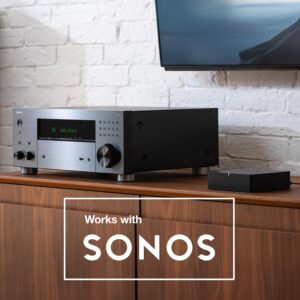
Onkyo TX-RZ50 9.2-Channel AV Receiver
Onkyo TX-RZ50 — reference 9.2-channel AV receiver delivering 120 W per channel with Dirac Live room correction out of the box (no upgrade key needed). Supports Dolby Atmos, DTS:X, IMAX Enhanced, and THX Certified Select processing for a true reference-grade home theater. 4K/120Hz + 8K/60Hz HDMI 2.1 passthrough for next-gen consoles (PS5 / Xbox Series X). Wi-Fi + Bluetooth + Chromecast built-in + AirPlay 2 + Sonos-compatible streaming. Preouts for all channels support external power amp expansion. Zone 2 + Zone 3 for multi-room audio; PhonoIN for turntable integration. This is Onkyo returning to reference form — Klipsch RP-8000 F II, KEF R Series, and Wharfedale Diamond towers all benefit from the RZ50 driving them properly. Live price on Amazon below.
Home theater community verdict: See AVSForum receivers discussion
SKU: B09D8SB7DN -
KlipschSpeakers
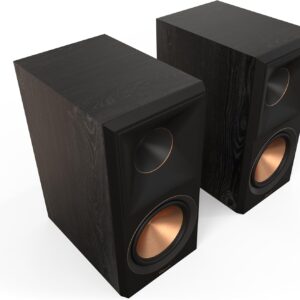
Klipsch Reference Premiere RP-600M II Ebony Bookshelf Speakers Pair
Klipsch Reference Premiere RP-600M II bookshelf speakers: a 6.5-inch Cerametallic woofer, a 1-inch titanium LTS tweeter on a 90 x 90 degree hybrid Tractrix horn, a rear-firing Tractrix port and dual aluminum binding posts (bi-wire / bi-amp capable). Klipsch lists 94.5 dB sensitivity (2.83 V / 1 m), 44 Hz to 25 kHz (±3 dB) and 8 ohms nominal; Erin’s Audio Corner measured 86 dB, so give them an amplifier with real power. The larger sibling of the RP-500M II. 15.75 x 7.95 x 13.00 in and 18.1 lb each. Price and finish on Amazon below.
SKU: n/a -
AIYIMAAmplifiers
AIYIMA H4 Desktop Headphone Amplifier
AIYIMA H4 — dedicated desktop headphone amplifier under $100 built for driving demanding cans that motherboard and laptop jacks strangle. Handles planar magnetic headphones (HiFiMan Sundara, Edition XS, HE-400 series) and high-impedance dynamics (Sennheiser HD 6XX / HD 660S, Beyerdynamic DT 880 / DT 990 250-300 ohm) to reference listening volumes with clean headroom and low noise floor. Low-gain / high-gain switch on the rear supports sensitive 16 ohm IEMs and 300 ohm cans without channel imbalance. RCA line-level input pairs cleanly with any dedicated DAC — natural match for the AIYIMA D20 balanced DAC/preamp for a full AIYIMA desktop signal chain. Metal chassis, weighted volume knob, 6.35 mm + 3.5 mm headphone outputs. Delivers ~10× the current of a laptop headphone jack — that current is where the audible upgrade actually comes from. $95.99 direct from Aiyima with our promo code.
SKU: aiyima-h4 -
3e AudioAmplifiers
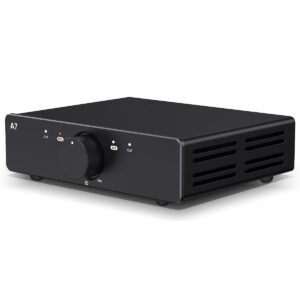
3e Audio A7 Next-Gen HiFi Stereo Amplifier — TPA3255 250W × 2 PBTL with Enhanced PFFB + 48V 5A PSU
 Amplifiers
3e Audio A7 Next-Gen HiFi Stereo Amplifier — TPA3255 250W × 2 PBTL with Enhanced PFFB + 48V 5A PSU
3e Audio A7 — reference-tier TPA3255 stereo amplifier with Enhanced PFFB (Post-Filter Feedback) topology delivering 250 W × 2 PBTL @ 4 ohm and a 48V 5A power supply included in-box. PFFB circuit dramatically lowers distortion at rated power vs. standard TPA3255 implementations, closing the gap on Class-AB refinement while keeping Class-D efficiency. Balanced input + speaker binding posts. The measurement-first Chi-Fi flagship in the $300 amp segment. $299.99 on Amazon US with Prime shipping.
SKU: n/a -
iFi AudioPower Supply
iFi iPower X 5V Ultra-Low-Noise Audiophile Power Supply — ANC II Silent Power Technology
 Power Supply
iFi iPower X 5V Ultra-Low-Noise Audiophile Power Supply — ANC II Silent Power Technology
iFi iPower X 5V — the go-to wall-wart upgrade for USB DACs, network streamers, and Raspberry Pi audio builds. iFi’s Active Noise Cancellation II technology drops the noise floor 40+ dB vs stock switching power supplies. Ubiquitous in r/BudgetAudiophile “upgrade my rig” threads — cheaper than a true linear supply, cleaner than any stock wall wart. Works with any USB-powered audiophile device that accepts 5V. $99 on Amazon US.
Audiophile community verdict: See what audiophiles say on ASR forum review thread
SKU: n/a -
AIYIMAPower Supply
AIYIMA 48V 10A GaN Power Supply for A07 PRO A07 Max A70 High-Output Amplifiers
AIYIMA 48V 10A GaN Power Supply — flagship 480W GaN-based (gallium nitride) DC brick for high-output Class-D amplifiers. Gallium nitride switching delivers higher efficiency, cooler operation, and smaller footprint than traditional silicon SMPS at the same power. Full 48V rail at up to 10A unlocks maximum rated output of TPA3255 / TPA3251 platforms: AIYIMA A07 PRO, A07 Max, A70, and dual-block A20 MONO pairs. Universal AC 100-240V input with region-specific plug option: US, EU, UK, or AU — selected at checkout. Reduces PSU noise floor compared to budget switchers. Ideal for reference Class-D chain where the amp itself is not the bottleneck. $79.99 direct from Aiyima with our promo code.
Audiophile community verdict: See r/BudgetAudiophile AIYIMA 48V GaN threads
SKU: aiyima-48v-10a-gan-psu -
SMSLAmplifiers
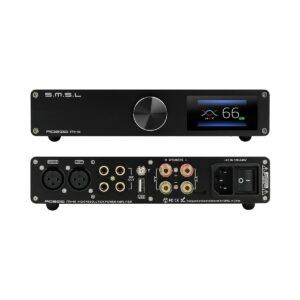
SMSL AO200 MKII 160W×2 Integrated Amplifier with MA5332MS + Balanced XLR + 8-Band EQ
SMSL AO200 MKII — the community-hyped Class-D integrated amp built on the MA5332MS chip (Infineon’s TPA3255 competitor). Delivers 160W × 2 into 4Ω with balanced XLR input, RCA in, subwoofer output, and an 8-band EQ controlled by remote. Frequently cited on r/BudgetAudiophile and ASR forum as the “AIYIMA A80 killer” at similar money. Reference-tier measurements: THD+N below -100 dB, dynamic range 120+ dB, load-independent frequency response. $249 on Amazon US.
Audiophile community verdict: See what audiophiles say on ASR forum review thread
SKU: n/a -
OnkyoReceivers
Onkyo TX-RZ30 9.2-Channel AV Receiver — Dirac Live Full Bandwidth Under $1000
Onkyo’s breakthrough entry-tier AVR: real Dirac Live Full Bandwidth room correction (not “Limited”) at $999, THX Certified, 100W/ch × 9.2 channels, HDMI 2.1 with 8K/60 + 4K/120 + VRR + eARC, and Sonos Certified — a spec sheet that Denon/Marantz needs $1500+ to match. The smart pick for entry home theater or hybrid living room without stepping up to RZ50 or RZ70.
Home theater community verdict: See AVSForum receivers discussion
SKU: n/a -
KlipschSpeakers
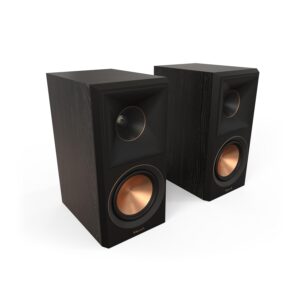
Klipsch Reference Premiere RP-500M II Bookshelf Speakers Pair
Klipsch Reference Premiere RP-500M II bookshelf speakers: a 1-inch titanium tweeter on a 90 x 90 degree hybrid Tractrix horn, a 5.25-inch Cerametallic woofer, a rear-firing Tractrix port, 50 Hz to 25 kHz (±3 dB), 8 ohm compatible, 75 W continuous / 300 W peak. Klipsch quotes 92 dB sensitivity (an in-room figure); Erin’s Audio Corner measured about 85 dB anechoic, so give them an amplifier with real power. Single binding posts, 13.56 x 6.81 x 10.65 in, 13 lb each. Read our RP-500M II roundup of independent reviews. Price and finish on Amazon below.
Audiophile community verdict: See r/BudgetAudiophile RP-500M discussions
SKU: B09V5QVDRS -
EversoloDAC
Eversolo DAC Z10 Balanced Preamp + Headphone Amp — Fully Isolated Architecture, HDMI, AES/EBU, IIS
-15%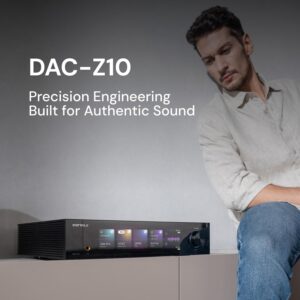 DAC
Eversolo DAC Z10 Balanced Preamp + Headphone Amp — Fully Isolated Architecture, HDMI, AES/EBU, IIS
Eversolo DAC Z10 — the flagship desktop DAC from Zidoo’s audiophile brand. Positioned squarely against Chord Qutest ($1,800), RME ADI-2 Pro FS ($2,300), and Denafrips Pontus II ($1,900) — with an almost identical spec sheet at hundreds less. Fully isolated architecture (dedicated separate PSUs for digital, DAC, analog, and headphone amp sections), fully balanced XLR + RCA preamplifier stage, discrete headphone amplifier module with balanced 4.4 mm + single-ended 6.35 mm. Input suite covers everything a modern desktop needs: USB Audio, Coaxial, Optical, AES/EBU, IIS (HDMI-based I2S), HDMI ARC. Native PCM 768 kHz / DSD512 + MQA rendering. Ships with remote control (rare at this tier). Under $2K on Amazon for a fully-isolated balanced preamp/DAC/headphone amp combo — this is the “endgame or near-endgame” desktop DAC for anyone stepping up from our FiiO K11 R2R or K13 R2R. Live price on Amazon below.
Audiophile community verdict: See ASR forum flagship DAC discussions
SKU: B0G4WXZ4LY -
HiVi-SwansSpeakers
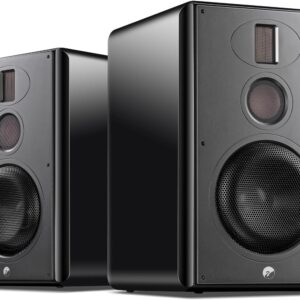
HiVi-Swans H6 Active 3-Way 240W Studio Monitor Speakers with WiFi + Bluetooth + Optical + Coaxial (Pair)
 Speakers
HiVi-Swans H6 Active 3-Way 240W Studio Monitor Speakers with WiFi + Bluetooth + Optical + Coaxial (Pair)
HiVi-Swans H6 — active 3-way studio monitor bookshelf speakers with 240W total power, 6.5″ Hi-Res woofer, and comprehensive connectivity including WiFi, Bluetooth, Optical, Coaxial, Line-in, and Balanced XLR inputs. Zero-compromise studio-monitor precision with full home hi-fi integration in one box. Perfect for the enthusiast who wants studio-monitor accuracy without giving up modern streaming — the mid-tier active model that sits between the compact Oasis 140 (passive) and the flagship M300MKII (360W).
SKU: n/a -
FiiODAC
FiiO K11 Desktop DAC and Headphone Amp — 1400 mW Balanced Output
FiiO K11 — entry-level FiiO desktop DAC and headphone amplifier with a punchy 1400 mW balanced headphone output and full digital input suite (USB, coaxial, optical, RCA line-in). The mainstream K11 (not the newer R2R variant) uses proven delta-sigma DAC circuitry for clean, resolving output that measures well and drives most headphones — 32 ohm IEMs to 300 ohm Sennheisers — to reference volume with headroom. Balanced 4.4 mm and single-ended 6.35 mm headphone outputs; RCA line-out doubles as a preamp for feeding a power amp. USB DAC handles PCM up to 32-bit / 384 kHz. Metal chassis, weighted volume knob, gain switch for sensitive vs demanding loads. For anyone who wants proven FiiO build quality and reliable performance without stretching budget for R2R ladder DAC circuitry — the K11 is FiiO desktop DAC/amp done right at entry level. Live price on Amazon below.
Audiophile community verdict: See ASR forum desktop DAC reviews
SKU: fiio-k11 -
SonySpeakers
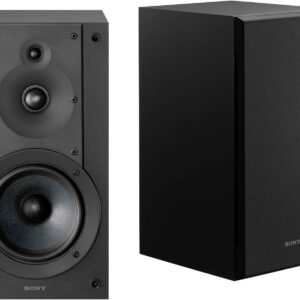
Sony SS-CS5M2 3-Way 3-Driver Hi-Res Compact Bookshelf Speakers (Pair)
Sony SS-CS5M2 — refresh of the cult classic Sony SS-CS5 Hi-Res bookshelf speaker. 3-way 3-driver design with 5.12″ mica-reinforced woofer plus dedicated tweeter and super tweeter for extended Hi-Res response beyond 40 kHz. Compact chassis, high sensitivity, easy to drive with modest Class-D or receiver power. Sony CS Speaker Home Theater Series pedigree at bookshelf pricing — this is the entry point into serious 3-way bookshelf audio under $300. $278.00 on Amazon US with Prime shipping.
SKU: n/a -
MICCASpeakers
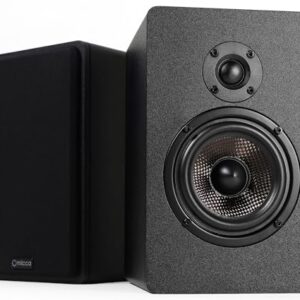
Micca MB42X G2 Premium 2-Way Passive Bookshelf Speakers (Pair) — 4-Inch Carbon-Fiber Woofer, Silk-Dome Tweeter, Front-Firing Port
 Speakers
Micca MB42X G2 Premium 2-Way Passive Bookshelf Speakers (Pair) — 4-Inch Carbon-Fiber Woofer, Silk-Dome Tweeter, Front-Firing Port
Micca MB42X G2 Premium 2-Way Passive Bookshelf Speakers — the community-standard sub-$100 passive bookshelf pair on r/BudgetAudiophile. 4-inch woven carbon-fiber woofer, 0.75-inch silk-dome tweeter, front-firing port (wall-friendly), 5-way binding posts. Called “the most affordable goat” by Z Reviews. Pair with the AIYIMA A20 Stereo 2.1 or Fosi ZA3 for a full sub-$300 hi-fi rig.
SKU: micca-mb42x-g2




There are no reviews yet.